AI-Powered Digital Product
Designing intelligent digital products that make complex AI capabilities simple, useful and human.

A conceptual AI SaaS platform, built around a real product challenge
This concept represents the kind of AI platform a business would use to automate workflows, analyze data, generate insights, create content, assist employees or manage AI agents — powerful capability that only creates value if people can actually use it.
Modern AI technologies are powerful, but users often struggle to understand:
- What the AI can actually do
- How to interact with it
- When they should trust its output
- How to control AI actions
- How to review AI-generated results
- How to move from AI output to real business action
How do you turn powerful AI capabilities into a product experience that feels simple, trustworthy and useful?
AI got added to products before UX caught up
AI is powerful. But power without clarity creates friction.
The challenge wasn’t simply to add AI. It was to design an experience where AI becomes a natural part of the user’s workflow.
What the product needed to achieve
Make AI easier to understand
Reduce complexity
Improve AI adoption
Increase user engagement
Reduce time-to-value
Improve task completion
Build trust in AI-generated results
Give users meaningful control over AI actions
Create scalable AI workflows
Design a foundation for future AI capabilities
Understanding where people want AI, and where they don't
Research combined direct usability work on AI interactions with a structural look at how existing AI products handle trust, control and workflow fit.
- What tasks do users want AI to handle?
- Where do users currently struggle?
- What makes users trust or distrust AI?
- When do users prefer automation?
- When do users want human control?
- What information should AI explain?
- What should remain under user control?
Four people the product had to work for
AI Product User
Wants to use AI to complete tasks faster and more effectively.
- Goals
- Get to a usable result without learning a new mental model.
- Pain points
- Doesn't know what to ask AI, or whether to trust what it returns.
- Needs
- Clear prompts, visible reasoning, and an easy way to correct AI.
- AI expectations
- AI that explains itself and gets out of the way once trusted.
- Key workflows
- Asks AI for a summary, insight or draft, then reviews and edits.
Business Operator
Wants automation, efficiency and actionable insights.
- Goals
- Remove repetitive manual work from their day.
- Pain points
- Automation that fails silently or acts without warning.
- Needs
- Reliable workflow automation with visible status at every step.
- AI expectations
- AI that handles the repetitive part and flags exceptions.
- Key workflows
- Configures triggers and reviews automation activity daily.
Manager / Decision Maker
Needs AI-generated insights but wants transparency and control.
- Goals
- Make faster, better-informed decisions.
- Pain points
- Can't tell if an AI recommendation is trustworthy or how it was derived.
- Needs
- Insights with visible reasoning and a clear approval step.
- AI expectations
- AI that recommends, never decides unilaterally.
- Key workflows
- Reviews AI-generated reports and approves recommended actions.
AI Product Admin
Manages AI workflows, settings, integrations, permissions and performance.
- Goals
- Keep the AI system reliable, secure and correctly scoped.
- Pain points
- No visibility into what AI agents are doing across the product.
- Needs
- Centralized controls for models, permissions, usage and security.
- AI expectations
- AI whose behavior and access are fully configurable and auditable.
- Key workflows
- Manages users, permissions, AI models and integration health.
Human Control ↔ AI Assistance
Discover → Understand → Input → AI Processes → Review → Refine → Approve → Execute → Learn. The product doesn't assume AI should automate everything — this balance became a UX principle carried through every screen.
Discover
Human: Realizes there's a task AI could help with.
AI: Surfaces relevant capability at the right moment.
Understand
Human: Forms a mental model of what the AI can do.
AI: Explains its scope and limits up front.
Input
Human: Describes the task or goal in their own words.
AI: Asks clarifying questions if intent is unclear.
AI Processes
Human: Waits, with visible progress.
AI: Works through the task, showing what it's doing.
Review
Human: Reads the output critically.
AI: Presents results with reasoning and sources.
Refine
Human: Adjusts, corrects or asks for a different angle.
AI: Incorporates feedback without starting over.
Approve
Human: Signs off on the result.
AI: Waits for explicit approval before acting.
Execute
Human: Confirms the action should proceed.
AI: Carries out the approved action.
Learn
Human: Sees the outcome and adjusts trust accordingly.
AI: Improves future suggestions from this outcome.
Five places AI creates real product value — not one chatbot
AI Copilot
“Summarize this report and highlight the three most important risks.”
An AI assistant embedded directly in the user's workflow — not a separate chat window. It returns a summary, key insights, recommendations and next actions, scoped to what the user is already working on.
AI Agent
“Analyze this week's sales data, identify anomalies and prepare a report.”
An agent that performs multi-step work: collects data, analyzes it, identifies anomalies, generates insights and drafts a report — then requests user approval before publishing anything.
AI Workflow Automation
New customer inquiry → AI analyzes intent → AI classifies lead → High-intent lead → Notify sales team
Users build automations from Trigger → AI Processing → Decision → Action, so AI reasoning plugs directly into the systems the business already runs on.
AI Recommendations
Suggested next actions, content, decisions, products and insights.
AI analyzes behavior and data to surface relevant recommendations at the moment they're useful, instead of requiring users to go looking for them.
AI Insights
Instead of “27.4% conversion rate” — “Conversion decreased 8% this week, primarily due to lower performance from mobile traffic.”
Complex datasets are translated into plain-language explanations, so users understand what changed and why, not just the number that changed.
Pxzen's methodology for designing trustworthy AI products
AI Should Explain
Users should understand why AI produced an output.
AI Should Not Hide
Clearly distinguish AI-generated information from human-generated content.
Humans Stay in Control
Important actions always allow review, edit, approve, reject or undo.
AI Should Ask When Necessary
If AI lacks sufficient information, it asks — rather than guessing.
AI Should Provide Context
Show relevant sources, data or reasoning signals where appropriate.
AI Should Fail Gracefully
When AI can't complete a task, the interface says what happened and what to do next.
A structure built to scale with new AI capability
Home
- AI Assistant
- AI Agents
- Workflows
- Projects
- Data
- Insights
- Automations
- Integrations
- Activity
- Settings
Control center
- Users
- Permissions
- AI Models
- Usage
- Analytics
- Integrations
- Security
Separating the day-to-day workspace from AI administration keeps every new model, integration or permission from cluttering the interface people actually work in — new AI capability plugs into Admin without redesigning the product around it.
Turning AI processes into understandable product flows
Data → Manual Analysis → Interpretation → Report → Action
Data → AI Analysis → Human Review → Insight → Recommended Action
Trigger → AI Agent → Analysis → Decision → Human Approval → Action
Validating AI interaction before visual design
Low-fidelity concepts across the core AI screens, used to test information hierarchy and workflow logic before any visual design work began.
A dedicated component language for AI
Color, typography, grid, spacing, buttons, inputs, cards, tables, charts, navigation, modals and notifications — plus a component set built specifically for AI: status indicators, confidence indicators, AI message components, workflow components and data visualization.
Every AI output carries a visible status, so users always know where a piece of information came from and what state it’s in — without reading a paragraph to find out.
The ten screens that carry the product
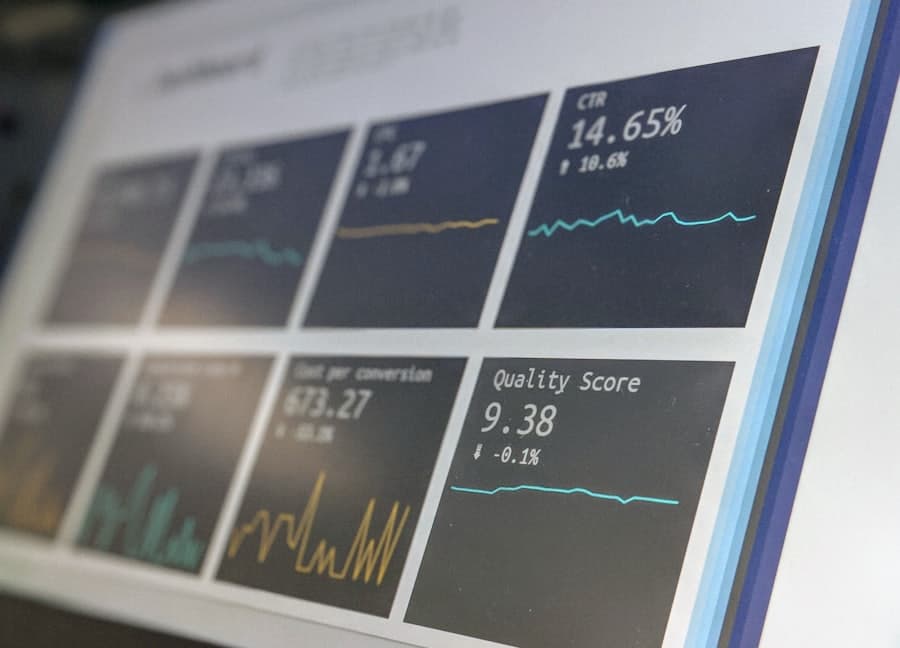
AI Product Homepage
Clearly communicates product value and AI capabilities.
UX: First impression that this is a serious product, not a demo.
AI role: Shown through outcome, not jargon.
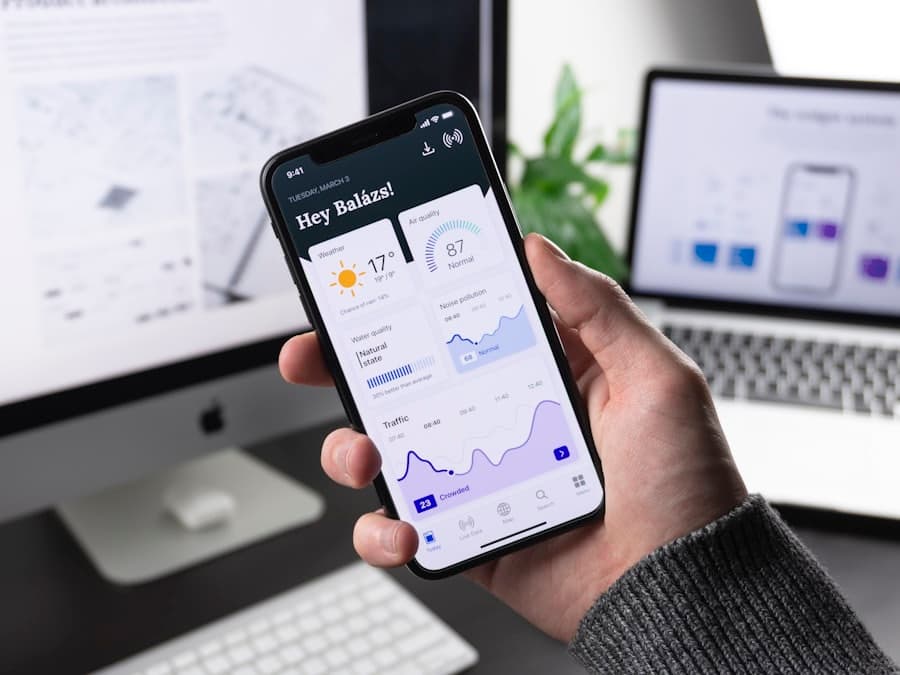
AI Dashboard
Overview of activity, insights, AI tasks, recommendations and performance.
UX: One view answers “what needs my attention.”
AI role: Surfaces what it noticed and what it's waiting on.

AI Workspace
A central environment where users work with AI.
UX: AI lives inside the work, not beside it.
AI role: Present throughout, never a separate mode.

AI Copilot
Context-aware AI assistance inside the workflow.
UX: Help appears where the user already is.
AI role: Scoped to the current task, not a blank prompt box.

AI Agent Builder
Create and configure AI agents.
UX: Configuration feels like setup, not engineering.
AI role: Defines scope, permissions and approval requirements.

Workflow Builder
Visual workflow: Trigger → AI → Decision → Action.
UX: Logic is visible and editable at every step.
AI role: One reasoning step among several, not a black box.
AI Insights
Transforms raw data into understandable business insights.
UX: Explains the “why,” not just the number.
AI role: States its reasoning and confidence alongside the insight.
AI Results / Output Review
Review, edit, approve, reject or regenerate AI output.
UX: Every output is a draft until a human signs off.
AI role: Never publishes or acts without explicit approval.
AI Analytics
Usage, task completion, automation and AI performance.
UX: Makes AI's actual contribution measurable.
AI role: Reports on itself as plainly as on the product.
AI Admin / Settings
Manage users, permissions, AI models, integrations and security.
UX: Gives admins real control, not a toggle switch.
AI role: Every model, permission and integration is auditable.
AI-native interaction, not traditional software with AI bolted on
User searches → User navigates → User selects → User performs task
Dashboard → Reports → Sales → Filter → Export
User describes intent → AI understands → AI recommends → User reviews → AI executes
“Show me why sales dropped this month and prepare a report.”
Analyzes data → identifies patterns → explains findings → generates report → requests approval.
AI products only work if people trust the output
The interface communicates what's AI-generated, its sources, its confidence, its processing state, its limitations, human approval status, AI actions taken, errors and data usage — clearly, at a glance.
Answering “what can this AI product actually do for me?” fast
Every step earns its place by moving the user toward a real, first result — fast time-to-value matters more in AI products than in traditional software, because trust is built by seeing AI work, not by reading about it.
Making AI's value obvious and actionable — not just futuristic
Problem → AI Solution → Demonstration → Benefits → Social Proof → CTA
Discover → Try AI → Experience Value → Save Result → Repeat
Product transformation, not a visual redesign
| Before | After |
|---|---|
| Complex workflows | AI-assisted workflows |
| Manual analysis | AI-generated insights |
| Static dashboards | Intelligent dashboards |
| Chat-only AI | Context-aware AI |
| Manual decisions | AI recommendations |
| Hidden AI processes | Transparent AI interactions |
| Full automation | Human-in-the-loop automation |
| Feature-heavy UI | Intent-driven experience |
Expected impact
Why this matters to the people who'd actually build it
For AI Startup Founders
Turn complex AI technology into a product people can understand and adopt.
For SaaS Companies
Integrate AI into existing workflows without overwhelming users.
For Business Leaders
Transform AI capabilities into measurable operational value.
For Product Teams
Build intuitive human-AI interactions that increase adoption.
For AI Entrepreneurs
Move from an AI idea to a scalable digital product experience.
A future product vision, built one phase at a time
AI Assistant
Context-aware assistance.
AI Copilot
AI embedded inside workflows.
AI Agents
Autonomous multi-step task execution with human approval.
AI Workflow Automation
Connect AI with business systems and automate repetitive processes.
Predictive Intelligence
AI predicts trends, risks, opportunities and business outcomes.
Multi-Agent Systems
Specialized AI agents collaborate to complete complex workflows.
Understand → Simplify → Design → Control → Connect → Scale
Our signature approach to designing AI products — the same six-step methodology behind this case study.
Understand
Understand the business, users and AI capabilities.
↓Simplify
Turn complex AI technology into simple interactions.
↓Design
Create human-centered AI workflows.
↓Control
Keep humans in control of important decisions.
↓Connect
Integrate AI into real business workflows.
↓Scale
Create a flexible product foundation for future AI capabilities.
Have an AI Idea? Let’s Turn It Into a Product.
From AI strategy and UX to product design and scalable digital experiences, Pxzen helps businesses turn complex AI capabilities into products people actually want to use.